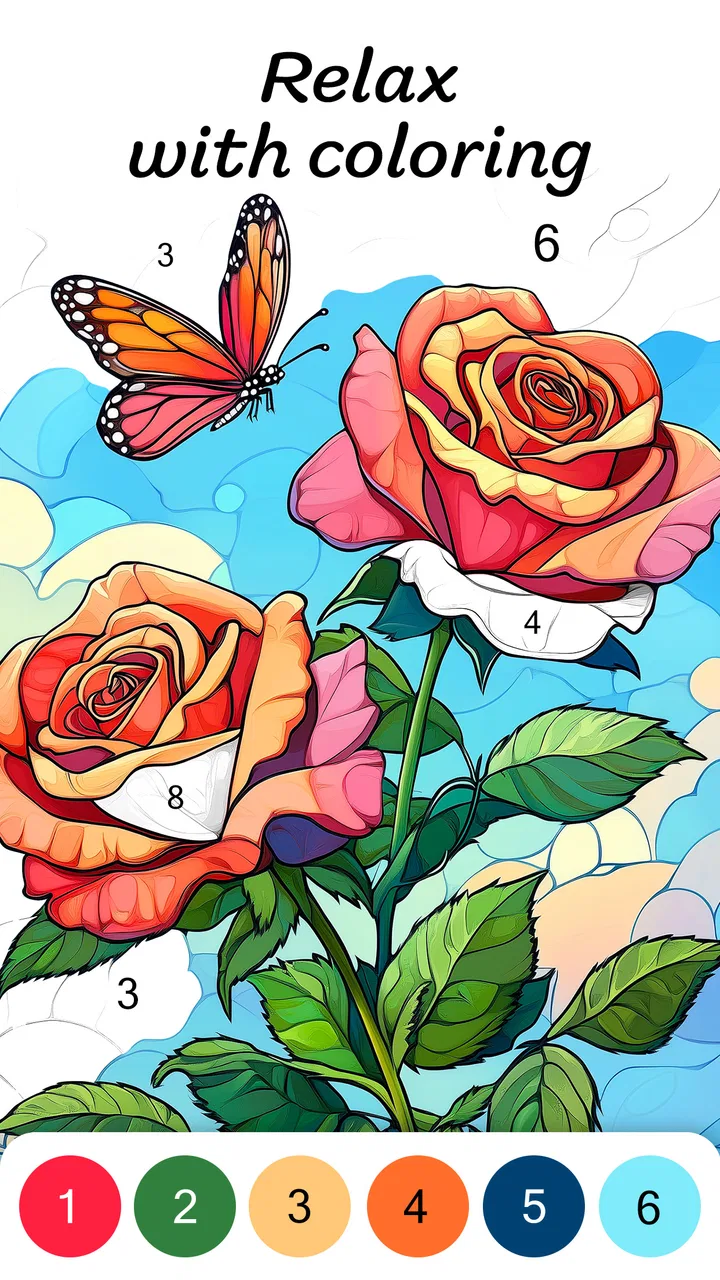
Color by Number for Adults
- 4.3
- Rating
- 5.00M
- Installs
- Free
- Price

 Analysis by App-foxy
I opened Color by Number for Adults expecting a simple way to fill a few spare minutes, and that is exactly where this board game makes the most sense. It turns numbered sections into a calm coloring session, with the appeal coming less from challenge or competition and more from the steady rhythm of finding a color and placing it carefully. I can imagine using it after dinner, during a quiet break, or while waiting for an appointment when I want something more engaging than scrolling but less demanding than a full game.
What makes it worth discussing is how well it fits shared-device life. A phone or tablet in a household is rarely used by only one person, so the important question is not just whether the coloring feels relaxing. It is also whether different people can pick it up comfortably, whether progress and purchases need careful attention, and whether the Teen content rating matches the people who may use the device. My overall impression is positive, but I would treat it as a personal relaxation game rather than a fully separate family activity.
How the coloring works in an everyday household
The basic loop is easy to understand: choose an image, look for the numbered spaces, select the matching color, and fill the picture section by section. I found that the appeal grows once an image begins to take shape. Early on, the screen can look like a collection of disconnected fragments; later, the emerging picture gives me a reason to finish one more area.
You May Also Like

 Blood Strike: 2.5 Anniversary
Blood Strike’s Loadouts Turn Every Drop Into a Tactical Gamble
A close look at Blood Strike’s custom loadouts: how fast access to signature weapons reshapes its battle royale rhythm, rewards preparation, and narrows the gap between fights.

 Pandora - Music & Podcasts
Pandora’s Music Is Easy to Start, but Harder to Recover
Pandora’s strength is its low-effort path from a seed to a station. Its weak spot is how much confidence it asks you to place in connection, setup, and quiet recovery.

 8 Ball Pool
 Is Built on Rivalries, Rematches, and Routine
A close look at the rivalries, rematches, shared routines, and unanswered safety questions that turn a quick pool match into a persistent mobile community.

 Samsung Music
’s Quiet Strength Is Playing What You Already Own
Its reach comes less from spectacle than from dependable access to a personal library. That simplicity is both the app’s strongest retention engine and its ceiling.

 AccuWeather: Weather Radar
AccuWeather Review: A Quick, Clear Forecast for Everyday Decisions
For everyday plans, the best forecast is the one you can understand quickly. AccuWeather makes rain timing, radar, and local conditions easy to act on, with a few trade-offs.

 Hill Climb Racing
Why Hill Climb Racing Still Turns Crashes Into One More Run
A tiny car, a bumpy hill and one more upgrade: Hill Climb Racing keeps resurfacing because its simple chaos makes every near-miss feel personal.
More From Our News Desk



That makes it useful in a realistic shared-device scenario. Imagine one person using the tablet for a short evening session, then leaving it on the coffee table. Another household member can continue with a different image or pick up the same one, depending on how the game presents the current state. I would not approach it like a multiplayer board game, because the experience is built around individual concentration rather than turns, conversation, or a shared score. It works better as a quiet activity that happens near other people.
For me, the strongest use case is a short reset between tasks. I can color for a few minutes without learning rules, planning a strategy, or remembering a complicated story. The numbered structure also gives the session a small sense of purpose: I am not simply tapping randomly, but completing a visual task with a clear direction.
There is a useful distinction between “relaxing” and “effortless.” The game removes much of the creative pressure of choosing a palette, yet I still need to pay attention to small regions and matching numbers. That light focus can be helpful when my mind is busy. However, anyone looking for completely passive entertainment may find repeated tapping more involved than expected.
Why it suits short sessions
I would use this game differently from a traditional board title. A chess or strategy app asks me to make decisions that affect an opponent or a later position. A word board game asks me to compete with a score or solve a puzzle. This coloring format has no need for that kind of mental commitment. I can stop after a small section and return later without feeling that I have abandoned a match.
That flexibility is especially convenient on a shared tablet. If someone needs the device, I do not have to negotiate around an active game or wait for a round to end. The trade-off is that the experience may feel repetitive for players who need changing objectives. The satisfaction comes from completion and visual progress, not from discovering a new rule set every few minutes.
One practical tip is to choose a session length before starting. If I have only a couple of minutes, I focus on a compact part of an image instead of beginning with the expectation of finishing everything. That prevents the relaxing activity from turning into a chore. When I have more time, I can use the gradual reveal as a way to stay focused without needing another screen in the background.
What to consider before putting it on a shared device
The game is free to install, which makes trying it straightforward, but free access does not mean every part of the experience should be treated casually. In-app purchases range from under a dollar to well over a hundred dollars per item. That is a wide enough range for me to be deliberate about who uses the device and who can approve a purchase.
I would set a simple household boundary before handing over the tablet: coloring is open to everyone who fits the age context, while purchases require the device owner’s permission. This is not a criticism of the coloring itself; it is ordinary good practice for any free game that offers paid items. On a shared device, the person tapping through an image may not be the person who understands the payment consequences.
I also recommend checking which account is active on the device before anyone starts. I would not assume that progress, purchases, or preferences are designed around several separate household profiles. If a parent, partner, or roommate wants a completely independent space, a personal device is the cleaner arrangement. Shared use can work, but it depends on everyone agreeing about what may be opened, changed, or bought.
This is one of the less obvious trade-offs of a relaxing game: because the activity feels harmless, people may pay less attention to account boundaries. A child might see a colorful, approachable interface, while the store age classification is Teen. I would follow that rating rather than treating the adult-oriented wording as a guarantee that every younger user is suitable for it.
Coordinating turns without making it a competition
In my experience, the best household arrangement is informal coordination. One person can use it during a quiet period, then leave the device available for someone else. There is no reason to turn completion into a race, and doing so would miss the main strength of the game. A simple agreement about when the tablet is free is more useful than trying to create a competitive schedule.
If several people enjoy coloring, I would designate separate moments rather than constantly passing the device back and forth. Frequent interruptions can make the activity less calming, especially when someone is carefully working through small numbered areas. A shared screen is fine for occasional use, but the experience remains fundamentally individual.
Another practical approach is to let each person choose a different type of image or work on a separate portion only when the game makes that comfortable. I would avoid assuming that two people can safely edit the same picture at once. The safest coordination rule is simple: finish or pause naturally, then let the next person take over, rather than tapping over one another’s work.
For a household with mixed interests, this game can sit alongside more social board apps. Someone who wants conversation and competition may prefer a turn-based board game, while another person can use the coloring game nearby. That makes it a good companion activity, but not a replacement for a shared game night.
Age context and trust
The Teen content rating matters in a family setting. I would not install it on a child’s device solely because the activity looks like coloring. The rating is the clearest age signal available to a household, and it should guide the decision before the game is placed on a shared phone or tablet.
For teenagers and adults, the main trust issue is less about the coloring action and more about device access and purchases. I would explain that the game is free to start but includes optional paid items. On a shared device, that conversation is more valuable than simply saying “do not buy anything,” because it makes clear why approval is needed and who is responsible for the account.
I would also keep the device owner involved when younger family members use it. That means checking the active store account, making sure payment approval is understood, and deciding whether the content rating fits the particular user. These are household decisions rather than features I would assume the game itself handles for me.
For adults who want a private, quiet pastime, the rating should not be a concern in the same way, but the shared-device question still applies. If the tablet is used for work, school, or personal accounts, I would avoid leaving it unlocked with a purchase-enabled game open. Relaxation is easier when the boundaries are clear.
How it compares with other ways to relax
Compared with physical coloring books, this game is more convenient when I already have a phone or tablet nearby. I do not need pencils, markers, a table, or storage space. The numbered guidance also removes the pressure of selecting colors that work together. The downside is that digital tapping lacks the physical feel of paper, and some people will find a real coloring book more satisfying.
Compared with freehand drawing apps, the structured format is less expressive but easier to begin. I can get a finished-looking result without knowing how to sketch or shade. That makes it a better fit for someone who wants guided relaxation, while a drawing app is the stronger choice for someone who wants to create an original image.
Compared with puzzle and strategy board games, the mental demand is gentler and the stopping point is more flexible. There is no opponent waiting for my move, so I can pause without creating an awkward interruption. On the other hand, players who enjoy planning, bluffing, or improving a measurable skill may find the coloring loop too narrow.
The most important comparison is with other color-by-number games. The central activity will naturally feel familiar across this category, so the decision comes down to whether the presentation, image selection, and pace suit the player. I would not choose this title expecting a deep board-game system. I would choose it when I want a straightforward, adult-focused coloring routine that fits into small gaps in the day.
Small habits that improve the experience
I found that accuracy matters more when an image contains many tiny sections. Rather than rushing through the screen, I prefer to zoom or work methodically when the interface allows it. This is not about chasing a score; it is about keeping the session calm. Fast tapping can make a supposedly relaxing activity feel fiddly.
A second useful habit is to stop before frustration arrives. If I have spent several minutes hunting for one hard-to-see number, switching to another area may preserve the relaxing mood better than forcing completion. The game is most enjoyable when progress feels voluntary, not when I treat every unfinished patch as an obligation.
A third tip is to use it as a transition rather than background noise. I get more from the activity when I put down other distractions and give the image a little attention. Watching television at the same time may be possible, but it can make the coloring feel mechanical and reduce the quiet focus that gives it value.
For shared households, I would also agree on a cleanup routine: return the device to its usual charging place, close the game if another person needs the tablet, and ask before making any purchase. These small rules prevent the most common friction without pretending that the app is designed as a multi-user family platform.
What the current release means for choosing it
The game was released on December 17, 2019, and the current version is 3.5.0. It supports devices running Android 9 or later. That makes the operating-system requirement worth checking before installation, especially if the household tablet is older or rarely updated.
Developer Veraxen Ltd. has built a title that has reached more than five million installs, with an average rating of 4.3 from roughly twenty-four thousand ratings and about 2.7 thousand written reviews. Those figures suggest that the concept has found a substantial audience, but they should not replace personal expectations. A popular coloring game can still be the wrong choice for someone who dislikes repetitive touch interaction or prefers competitive board play.
I also appreciate that the entry price is free, because it lets me test the basic rhythm without committing money first. Still, I would keep the purchase range in mind and avoid presenting it to a child as an unrestricted toy. The free starting point is convenient; the payment boundaries are the part that require adult attention.
Who should choose it, and who should skip it
I would recommend this game to adults and suitable teenagers who enjoy guided creative activities, want a low-pressure way to occupy a short break, or like seeing a picture develop gradually. It is particularly well suited to people who do not want to learn a complicated ruleset before relaxing. It can also work nicely on a shared household tablet when everyone understands that it is a one-person-at-a-time activity.
I would be more cautious about recommending it to someone seeking a social board game. There is no reason to install it for a family expecting conversation, turns, and direct interaction. A physical board game or a competitive digital title would serve that purpose better.
I would also skip it if I wanted complete artistic freedom, a tactile paper experience, or a game with a strong sense of progression and strategy. The numbered structure is the point, but it is also the limitation. Once the routine stops feeling soothing, there may not be enough variety in the core action to bring that player back.
Finally, I would not place it on a shared device used by younger children without considering the Teen rating and purchase access first. The coloring concept may look approachable, but household trust depends on more than the visual style. The owner should remain responsible for the account and payment decisions.
My household verdict
After using it as a quiet coloring activity, I see Color by Number for Adults as a dependable option for short, low-pressure sessions rather than a conventional board game with social depth. Its best quality is the way it gives me a clear task without demanding competition, creativity from scratch, or a long uninterrupted block of time.
For a shared device, I would install it with boundaries: respect the Teen rating, keep purchases under the owner’s control, and coordinate access instead of treating the game like a group activity. Those steps do not take away from the relaxing appeal; they make it easier for the game to stay a pleasant part of household downtime.
My recommendation is strongest for adults who enjoy color-by-number artwork and want something immediately understandable. I would choose another option for multiplayer evenings, freeform drawing, or deep strategy. If your goal is to settle into a focused, guided coloring session on Android 9 or later, this free game from Veraxen Ltd. is worth trying, provided you are comfortable with its in-app purchase model and the limits of shared-device use.
FAQs for Color by Number for Adults
01What is Color by Number for Adults?
Color by Number for Adults is a digital coloring app designed for relaxing, creative play. It provides numbered illustrations that you complete by selecting the matching colors, so you do not need drawing experience or advanced artistic skills. The available artwork commonly includes animals, flowers, landscapes, mandalas, patterns, and other detailed designs suitable for short or extended coloring sessions.
02Is Color by Number for Adults free to download and use?
The app can generally be downloaded for free, but some features, illustrations, color palettes, or additional tools may be restricted to premium users. Depending on the version and platform, the free experience may include advertisements or optional in-app purchases. Before downloading, check the current store listing for subscription terms, trial periods, pricing, and whether purchases renew automatically.
03Can I use Color by Number for Adults without an internet connection?
Basic coloring may be available offline after the required artwork or app data has been loaded, which is useful when traveling or when you want to avoid using mobile data. However, internet access may still be necessary for downloading new pictures, synchronizing progress, displaying advertisements, restoring purchases, or accessing online galleries. Offline availability can vary by device and app version.
04Is Color by Number for Adults suitable for beginners and older users?
Yes. The numbered format makes the app approachable for beginners because it guides you toward the correct color and does not require drawing or painting skills. Larger illustrations and simple controls can also make it comfortable for many older users. Nevertheless, some pictures contain very small sections, so screen size, eyesight, and accessibility preferences may affect the overall experience.
05Does Color by Number for Adults save my progress and allow me to share finished pictures?
The app typically saves completed or partially colored images on the device, allowing you to return to unfinished artwork later. Many versions also provide options to save finished pictures to your gallery or share them through messaging and social media apps. Saving behavior may depend on permissions, account synchronization, and the specific version installed, so reviewing privacy and storage settings is recommended.
Pros
- Simple tap-to-color controls are easy for beginners and casual players.
- Large image library offers many themes and styles to explore.
- Offline coloring makes it useful during travel or without mobile data.
- Color hints help complete difficult sections without excessive frustration.
- Completed artwork can be saved and shared directly from the app.
Cons
- Some detailed pictures require considerable time and patience to finish.
- Advertisements may interrupt the coloring experience between images.
- Premium content can limit access to certain designs and features.
- Small sections may be difficult to select accurately on compact screens.
- The relaxing gameplay may feel repetitive for users seeking more variety.

Color by Number for Adults
Gallery